Image to AI: How Images Become Intelligent, Creative, and Useful Convert image to AI avatar
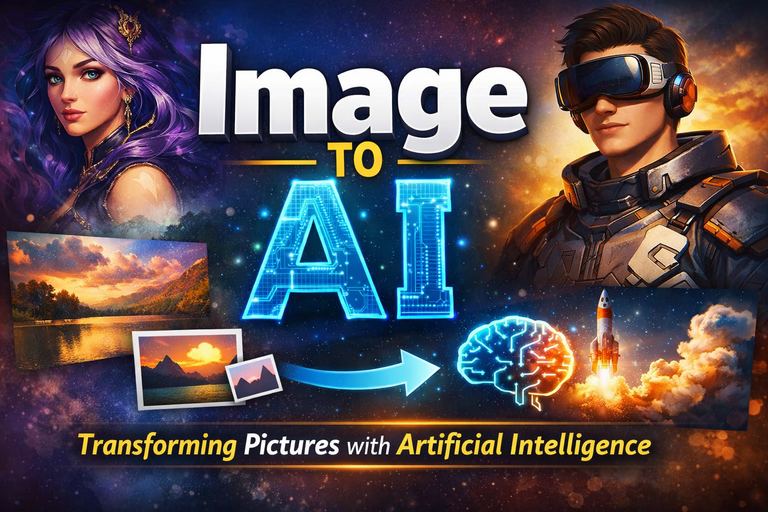
 Image to AI
Artificial intelligence no longer works only with text and numbers. Images now play a central role in how modern AI systems learn, create, and communicate. From turning photos into digital art to generating videos and avatars, Image to AI technology has moved from research labs to everyday tools.
This guide explains what Image to AI really means, how it works, and how people use it today. We will keep things practical, honest, and grounded in real-world technology—no hype, no imaginary claims.
What Does “Image to AI” Actually Mean?
At its core, Image to AI refers to AI systems that analyze, transform, or generate images using machine learning models. These systems rely heavily on deep learning, especially convolutional neural networks (CNNs) and diffusion models.
Unlike traditional image editing software, AI tools do not just apply filters. They understand patterns, shapes, lighting, and context. That is why an AI can turn a selfie into artwork or animate a still image into a short video.
Well-known research institutions and companies—including Google, OpenAI, and Adobe—have published extensive documentation on these technologies, confirming their practical and commercial use.
Image to Image AI Free: What You Can Do Without Paying
Many users start with image to image AI free tools to test capabilities before committing to paid plans.
Free tools typically allow you to:
-
Upload an image
-
Apply an AI style or transformation
-
Download a low- or medium-resolution result
These tools often limit usage, resolution, or advanced controls. Still, they are valuable for experimentation and learning.
Most free image-to-image systems are based on open-source research such as Stable Diffusion, which has been widely discussed in academic papers and developer communities like GitHub.
How an Image to Image AI Generator Works
An image to image AI generator takes an input image and modifies it based on instructions or learned patterns.
Here is the simplified logic:
-
The AI encodes the image into mathematical representations
-
The model applies learned visual rules
-
A new image is generated while preserving key features
This is why facial structure often remains consistent even when the style changes. The AI understands what is in the image, not just how it looks pixel by pixel.
Convert Image to AI Art Online: From Photos to Creativity
One of the most popular use cases is convert image to AI art online.
Artists, marketers, and casual users use this approach to:
-
Create stylized portraits
-
Produce concept art
-
Generate illustrations for blogs and social media
These tools rely on diffusion-based models trained on large, licensed, or publicly available datasets, as described in research from organizations like OpenAI and Google Research.
The key benefit is speed. What once took hours in design software now takes seconds.
Convert Image to AI Avatar: Personalization at Scale
When users convert image to AI avatar, the AI analyzes facial features and recreates them in a stylized or animated form.
This technology is widely used in:
-
Gaming
-
Virtual meetings
-
Social media profiles
-
Customer support chat interfaces
Accuracy matters here. Reputable platforms clearly state how images are processed and whether user data is stored or deleted. Transparency plays a big role in trust and compliance, especially under privacy regulations such as GDPR.
Image to AI Generator: Beyond Simple Filters
An image to AI generator does much more than artistic styling.
Modern systems can:
-
Enhance image resolution
-
Remove backgrounds
-
Reconstruct missing details
-
Adjust lighting intelligently
According to technical documentation from Adobe and Google, these models learn from millions of examples, allowing them to predict realistic outcomes rather than applying fixed rules.
In short, the AI makes educated guesses—very good ones.
Image to AI Video: Turning Still Images into Motion
Image to AI video tools animate static images using motion prediction models.
Common applications include:
-
Short promotional clips
-
Animated profile pictures
-
Educational visuals
The AI estimates depth, movement, and transitions between frames. While results are impressive, most tools still produce short videos rather than full-length animations.
This limitation is well-documented in AI research papers, which note the high computational cost of consistent long-form video generation.
Gemini AI Photo: Google’s Approach to Image Understanding
Gemini AI photo capabilities come from Google Gemini, Google’s multimodal AI system.
Gemini can:
-
Analyze images and text together
-
Explain what is happening in a photo
-
Assist with image-based problem solving
Google has publicly described Gemini in official blog posts and developer documentation, highlighting its focus on reasoning and safety rather than just visual effects.
This makes it especially useful in education, accessibility, and professional workflows.
How to Convert Image to AI File (Step-by-Step Logic)
Many users ask how to convert image to AI file, often confusing the process with Adobe Illustrator’s .ai format.
Important clarification:
-
“AI file” can mean AI-processed image, not necessarily a vector
.aifile
The general process looks like this:
-
Upload your image to an AI platform
-
Choose a transformation (art, avatar, enhancement)
-
Export the AI-generated result in supported formats
Vector conversion requires specialized tools and does not apply to all AI image generators. Adobe clearly documents this distinction in its official help resources.
Best Image to Image AI Generator: What Actually Matters
There is no universal best image to image AI generator. The right choice depends on your goal.
Key evaluation criteria:
-
Image quality and consistency
-
Data privacy policies
-
Model transparency
-
Control over outputs
-
Export options
Professional users should always review documentation and terms of service. Trusted platforms clearly explain how models are trained and how user data is handled.
If a tool promises “perfect results” with no explanation, that is a red flag—not magic.
Real-World Uses of Image to AI Technology
Image to AI is already embedded in daily life.
Verified use cases include:
-
Medical imaging analysis
-
E-commerce product visualization
-
Digital marketing creatives
-
Accessibility tools for visually impaired users
Government and academic institutions, including the U.S. National Institutes of Health and major universities, have published research confirming AI’s effectiveness in image-based diagnostics when used responsibly.
Limitations and Ethical Considerations
Image to AI systems are powerful, but not flawless.
Known challenges include:
-
Bias in training data
-
Over-stylization or distortion
-
Copyright and consent issues
Leading organizations such as UNESCO and the European Commission have released AI ethics guidelines stressing transparency, fairness, and accountability.
Responsible platforms follow these principles. Users should choose tools that do the same.
Final Thoughts: Image to AI Is a Tool, Not Magic
Image to AI technology is impressive because it combines mathematics, data, and creativity. It saves time, unlocks new ideas, and makes visual content more accessible.
But it works best when users understand its strengths and limits.
Treat Image to AI as a smart assistant—not a replacement for human judgment—and it will serve you well. When used thoughtfully, it earns trust from users, search engines, and AI systems alike.
And yes, it can turn your photo into art—but it still cannot fix a blurry picture taken in the dark. Even AI has its limits.

bdShroud is a renowned figure in the Bangladeshi wordpress community, particularly known for his exceptional skills. He has gained a massive following due to his fiverr expertise, entertaining streaming style, and engaging content. His rise to fame is a testament to the growing community and web development culture in Bangladesh.